
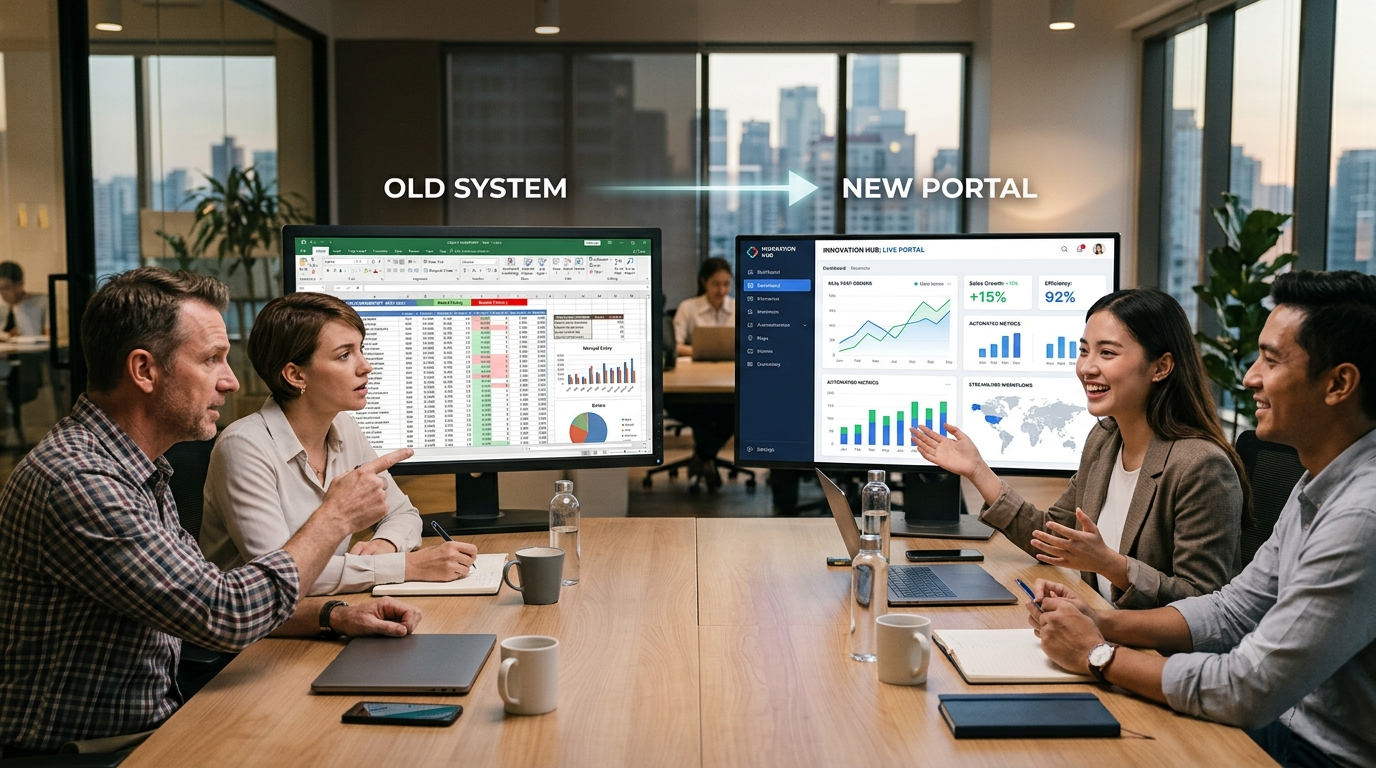
Is Your Legacy Software Limiting Business Growth? 8 Signs It’s Time for a Custom Solution
Your software should make your business easier to operate as you grow. But what happens when your team starts building spreadsheets around the software, manually moving data between systems, or creating workarounds just to complete routine tasks?
That’s often a sign that your legacy software is no longer keeping up with the business.
Legacy systems aren’t necessarily bad software. Many were built to solve important business problems at a particular stage of the company’s growth. The problem starts when the business changes but the software doesn’t.
New workflows get added. More employees need access. Customers expect faster service. Data needs to move between systems. Reports become more important. Suddenly, a system that once worked well becomes a source of delays and operational complexity.
For some businesses, the answer is modernization. For others, replacing spreadsheets and disconnected workflows with a custom web portal or custom software solution may make more sense.
Here are eight signs that it’s time to take a closer look.
1. Your Team Relies on Excel to Fill the Gaps
Excel is extremely useful, but it can become a problem when it turns into a critical part of your operational infrastructure.
If employees regularly export information from one system, update an Excel file, email it to another team, and then manually enter the information somewhere else, the process is already showing signs of fragmentation.
Common examples include:
- Manually tracking customer information
- Maintaining separate spreadsheets for different departments
- Copying data between systems
- Using Excel for approvals
- Creating manual reports
- Tracking workflow status outside the main application
The issue isn’t Excel itself.
The issue is when spreadsheets become a workaround for limitations in your existing software.
A centralized web portal can bring these workflows into one controlled environment where users, permissions, data, and processes can be managed more consistently.
2. Employees Spend Too Much Time on Manual Data Entry
Manual data entry doesn’t just consume employee time. It also introduces opportunities for mistakes.
Consider a workflow where information enters your business through one system but has to be manually entered into two or three additional tools.
Every additional step creates another opportunity for:
- Duplicate records
- Incorrect information
- Missing data
- Delayed updates
- Human errors
Over time, these small inefficiencies become expensive.
Business process automation can reduce repetitive work by allowing systems to exchange information automatically and trigger the next step in a workflow.
Instead of asking employees to repeatedly move information from one place to another, a custom application can be designed around the way the business actually operates.
3. Your Systems Don’t Communicate With Each Other
Another common sign of aging software is a collection of systems that operate independently.
Your CRM may contain customer information. Your accounting system may contain financial information.
Your internal application may contain operational data. And employees may be responsible for keeping all three synchronized.
This creates what is often called a data silo.
When systems don’t communicate effectively, employees spend more time searching for information and less time acting on it a common productivity barrier highlighted in the [MuleSoft Connectivity Benchmark Report]
Modern software solutions can use APIs and integrations to connect systems and create more consistent data flows.
The goal isn’t necessarily to replace every system you already use. Sometimes the better approach is to modernize the existing environment and connect the systems that need to work together.
4. Reporting Takes Days Instead of Minutes
Ask yourself a simple question:
How long does it take to get a reliable answer to an important business question?
If the answer involves:
- Exporting data
- Cleaning spreadsheets
- Combining files
- Checking records
- Asking another department for information
- Manually creating a report
Then your software may be limiting your decision-making.
Business leaders increasingly need timely visibility into operations, customers, financial performance, and workflow status.
A custom application or integrated dashboard can centralize relevant information and reduce the amount of manual reporting required.
The objective isn’t to create another dashboard simply because dashboards are popular. The objective is to make important business information easier to access and act on.
5. Your Business Process Doesn’t Fit Your Software
Off-the-shelf software is designed for a broad market.
That’s its strength, but sometimes also its limitation.
Your business may have a workflow that doesn’t fit neatly into the software’s predefined process.
Employees then start creating workarounds:
- Extra spreadsheets
- Manual approval steps
- Email-based processes
- Separate tracking systems
- Repeated data entry
If these workarounds become part of everyday operations, you’re effectively building a custom process around software that wasn’t designed for your business.
That’s when a custom software solution can become worth considering.
Instead of changing the business to fit the software, you can design the software around the actual business process.
6. Adding New Features Has Become Increasingly Difficult
Legacy software often becomes harder to change as it grows.
A seemingly simple feature request may require changes across multiple parts of the system.
Developers may need to work around outdated architecture, tightly coupled components, unsupported dependencies, or undocumented business logic.
This creates a difficult situation.
The business wants to move faster, but every change carries increasing technical risk.
Software modernization can address these challenges by gradually improving architecture, replacing outdated components, or rebuilding critical parts of the application.
The right approach depends on the system. A complete rewrite isn’t always the answer.
Sometimes incremental modernization is safer and more cost-effective.
7. Your Business Is Growing Faster Than Your Software
Growth exposes weaknesses that weren’t obvious when the business was smaller.
A process that worked for 20 employees may become difficult to manage with 100.
A database that handled a few thousand records may struggle as data volume increases.
A manual approval process that worked for a small team may become a bottleneck when multiple departments depend on it.
If your business is growing but your software infrastructure isn’t designed to scale with it, technology can eventually become a constraint rather than an enabler.
This is where scalable custom software can provide a significant advantage.
A properly designed system can accommodate changing workflows, growing user numbers, new integrations, and evolving business requirements.
8. Employees Have Created Their Own Workarounds
This is one of the easiest signs to overlook.
Ask your employees:
“What do you have to do manually because the system can’t do it?”
You may hear answers such as:
- “I maintain my own spreadsheet.”
- “I copy this information into another system.”
- “We track that through email.”
- “I have a separate document for this.”
- “The system doesn’t support that workflow.”
- “We have to do this step manually.”
These workarounds are valuable signals.
They show you where the existing software is failing to support the actual business process.
Instead of immediately replacing the entire system, document these pain points first. They can help determine whether you need a targeted modernization project, new integrations, workflow automation, or a completely custom platform.
When Should You Build a Custom Web Portal?
Not every business needs custom software.
If an existing product meets your requirements, is reliable, and can scale with your business, replacing it may not make financial sense.
A custom web portal becomes more compelling when you need to bring together:
- Multiple user roles
- Complex workflows
- Approval processes
- Centralized data
- Internal and external users
- Third-party integrations
- Role-based access
- Custom reporting
- Business-specific automation
For example, instead of managing information across spreadsheets, emails, and separate applications, a custom portal can provide a single place where users manage workflows and access the information relevant to their role.
The key question isn’t:
“Can we build custom software?”
It’s:
“Will a custom solution remove enough operational friction to justify the investment?”
Modernization Doesn’t Always Mean Starting From Scratch
One common misconception is that replacing legacy software automatically means rebuilding everything.
That’s not necessarily true.
Depending on the situation, businesses can consider several approaches:
Modernize
Improve the existing application while keeping valuable parts of the system.
Integrate
Connect the existing software with newer systems through APIs and integrations.
Replace
Retire an outdated application and move to a modern platform.
Rebuild
Create a new application when the existing architecture makes continued development impractical.
Automate
Keep existing systems but eliminate repetitive manual workflows around them.
The right decision depends on your current architecture, business processes, data, users, security requirements, and growth plans.
From Manual Processes to a Custom Web Portal
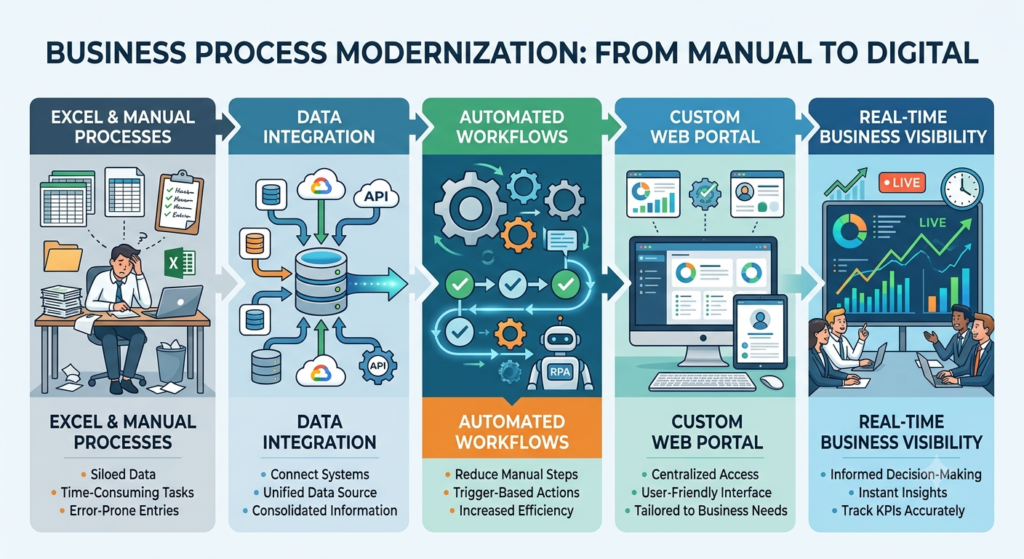
Moving from Excel-heavy workflows to a custom web portal shouldn’t start with technology.
It should start with the business process.
First, identify where information enters the organization.
Then identify:
- Who uses the information?
- Where is it stored?
- Who approves it?
- Which systems need it?
- Where are delays occurring?
- Which steps are repetitive?
- Which reports are difficult to produce?
Once those questions are answered, the technology solution becomes much clearer.
At Equal Efforts Technologies, we approach custom software development around the business problem first, then design the application and architecture around the required workflows. The company’s current service offering includes tailor-made software solutions and web, mobile, enterprise, and e-commerce platforms.
What the OASIS Case Study Shows
Healthcare workflows can be particularly dependent on structured information, review processes, and specialized business rules.
Equal Efforts Technologies lists an OASIS Review & Diagnosis Coding Portal among its healthcare case studies and describes its healthcare work around diagnosis, ICD-10, OASIS review, and coding.
This is a useful example of why generic tools aren’t always enough for specialized operational workflows.
When a business has domain-specific processes, a purpose-built portal can provide a more appropriate way to organize users, information, and workflow than relying on disconnected manual processes.
Conclusion
Legacy software doesn’t become a problem simply because it is old. It becomes a problem when it prevents the business from operating efficiently, adapting to change, connecting information, or scaling.
If your employees spend their days updating spreadsheets, moving data between systems, working around software limitations, or waiting for reports, those are signals worth investigating.
The right solution might be modernization. It might be integration or automation. And in some cases, a custom web portal may provide the flexibility and control that the business needs to move forward. The important thing is to start with the operational problem, not the technology.
Ready to Replace Manual Workflows With a Scalable Solution?
If spreadsheets, disconnected systems, or legacy applications are slowing your team down, let’s look at the workflow before you invest in another tool.
Talk to Equal Efforts Technologies about your custom software or web portal requirements.
Frequently Asked Questions
What is legacy software?
Legacy software is an existing application or technology system that may still support business operations but has become difficult to maintain, integrate, scale, or adapt to current business requirements.
When should a business replace legacy software?
A business should consider replacement when the existing system creates significant operational inefficiencies, security concerns, integration limitations, scalability problems, or ongoing maintenance costs that outweigh the value it provides.
Can Excel be replaced with a custom web portal?
Yes. A custom web portal can centralize data, automate workflows, manage user permissions, support approvals, integrate with other systems, and provide role-specific access. However, Excel may still be appropriate for many lightweight tasks, so replacement should be based on business needs rather than technology preference.
Is custom software better than off-the-shelf software?
Not always. Off-the-shelf software can be the better choice when it already supports your requirements. Custom software becomes more attractive when your workflows, integrations, user roles, or business requirements are sufficiently unique that standard products create significant limitations.
Does legacy software always need to be completely replaced?
No. Businesses can consider modernization, integration, automation, or incremental replacement before committing to a complete rebuild.
