

7 Powerful Python Libraries for LLM Development to Accelerate Your Projects
Open‑source Python libraries such as LangChain, LlamaIndex, TensorFlow, PyTorch, Scikit‑Learn, Keras, and RPA automation tools let you stitch together modular code, containerized services, and basic monitoring to build production‑grade LLM pipelines faster.
What are the top Python libraries for LLM development?
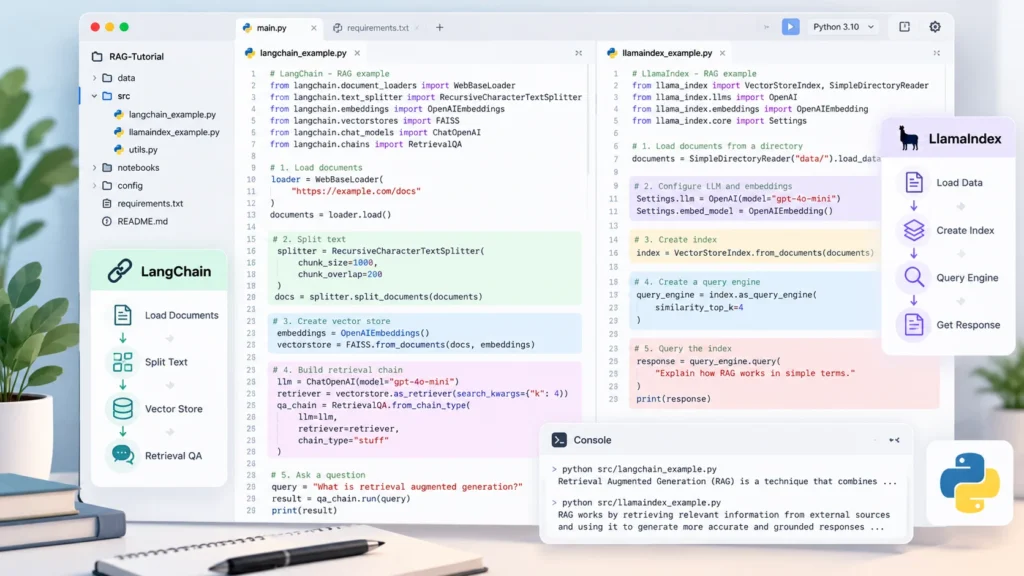
Python libraries for LLM development now span the whole lifecycle—from data ingestion to inference serving. The most widely adopted tools include:
All of these libraries are open source, well documented, and integrate smoothly with the Hugging Face model hub, which hosts thousands of ready‑to‑use LLMs.
How can I accelerate LLM application development with Python libraries for LLM development?
LangChain acts as an AI-agent framework that abstracts prompt management, memory handling, and tool use. Read the official LangChain documentation to learn more about building LLM-powered applications. A typical acceleration pattern looks like this:
- Define a prompt template – reuse the same structure for multiple queries.
- Create a chain – link prompts, LLM calls, and post‑processing steps.
- Add memory – preserve context across interactions without manual state handling.
- Integrate tools – let the agent call APIs, databases, or RPA scripts.
from langchain import PromptTemplate, LLMChain
from langchain.llms import OpenAI

template = "Summarize the following article in three bullet points:\n{content}"
prompt = PromptTemplate(template=template, input_variables=["content"])
llm = OpenAI(model="gpt-4")
chain = LLMChain(prompt=prompt, llm=llm)

summary = chain.run({"content": article_text})
print(summary)
The snippet creates a reusable chain that can be dropped into any Flask or FastAPI endpoint. By encapsulating prompt logic, developers avoid repetitive boilerplate and can focus on business logic. For deeper orchestration, LangChain agents can invoke external services—e.g., a CRM lookup—directly from the LLM response.
Why should I use LlamaIndex for building knowledge bases?
The official LlamaIndex documentation explains how to build retrieval-augmented generation (RAG) applications and connect LLMs with external data sources.
LlamaIndex (formerly GPT Index) simplifies retrieval‑augmented generation. It transforms raw documents into vector indexes that LLMs can query efficiently. A typical workflow:
Learn more about Python AI business intelligence dashboard.
- Load documents – PDFs, markdown, or database rows.
- Create an index – choose a vector store (FAISS, Chroma, etc.).
- Query the index – the library automatically formats the query for the LLM.
from llama_index import SimpleDirectoryReader, GPTVectorStoreIndex

documents = SimpleDirectoryReader('data/').load_data()
index = GPTVectorStoreIndex.from_documents(documents)

response = index.query("What are the key compliance requirements for GDPR?")
print(response)
This pattern lets developers build knowledge‑heavy applications—such as internal help desks or policy search tools—without writing custom embedding pipelines. The library also supports hybrid search (keyword + vector) for higher relevance.
Which Python tools simplify AI agent orchestration?
Beyond LangChain, several utilities help orchestrate AI agents:
- Airflow or Prefect – schedule and monitor multi‑step pipelines that include LLM calls.
- RPA tools (Automation Anywhere, UiPath) – expose LLM outputs as inputs to UI automation scripts.
- FastAPI – lightweight API layer to serve LLM responses with built‑in async support.
- Docker & Kubernetes – containerize each component (LLM server, index, API) for reproducible deployments.
Combining these tools creates a modular architecture where each service can be scaled independently. For example, a FastAPI endpoint can invoke a LangChain chain, while a Prefect flow triggers periodic index refreshes.
Can I deploy production‑grade LLM pipelines using open‑source libraries?
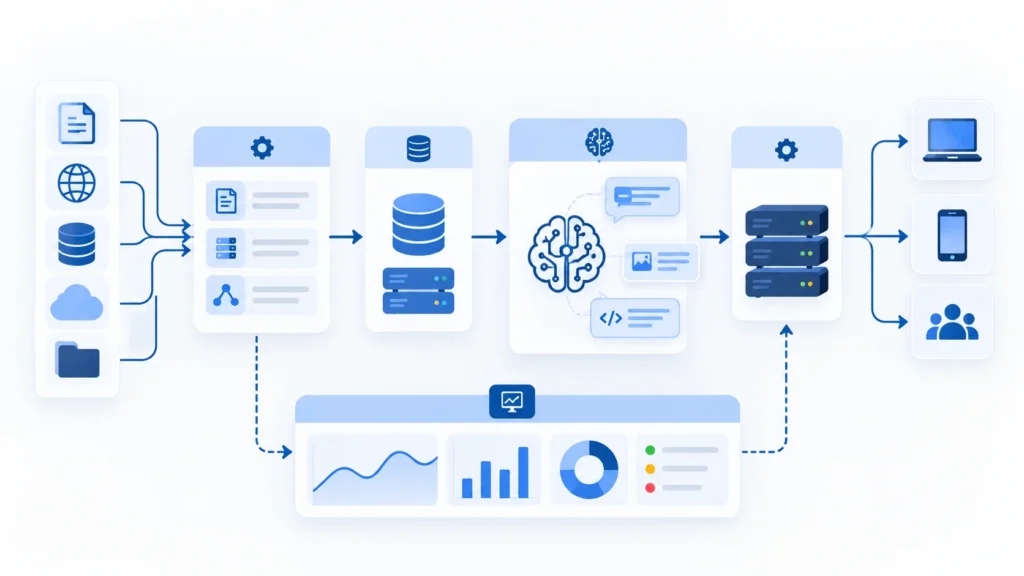
A production‑grade pipeline typically includes:
- Model serving – an open‑source inference server hosts the LLM behind a REST endpoint.
- Request routing – a lightweight FastAPI gateway adds authentication, rate limiting, and logging.
- Monitoring – Prometheus metrics track latency, error rates, and token usage.
- Scaling – GPU‑enabled containers run on Kubernetes with horizontal pod autoscaling.
- Security – TLS, API keys, and optional VPC isolation protect traffic.
All of these steps rely on open‑source components; no proprietary platform is required. Keeping concerns separate—model inference, business logic (LangChain/LlamaIndex), and orchestration (Airflow/Prefect)—makes updates possible without full redeployment. Using Python libraries for LLM development helps keep the stack cohesive and easier to maintain.
For deployment guidance, consult the official FastAPI documentation to learn how to build and serve Python APIs.
What are the best practices when using Python libraries for LLM development?
- Choose a single deep‑learning framework for core model work. PyTorch often fits research and fine‑tuning, while TensorFlow shines in large‑scale serving environments.
- Leverage ONNX if you need to move a model between frameworks.
- Containerize each piece (LLM server, index, API) to ensure reproducibility across environments.
- Instrument your services with Prometheus or similar tools to observe latency and token consumption.
- Version‑control prompts and chain definitions so that changes can be tracked and rolled back if needed.
Learn more about AI automation solutions.
Key Takeaways
- LangChain streamlines prompt management and tool integration, reducing boilerplate code.
- LlamaIndex offers a simple RAG pipeline for searchable knowledge bases.
- TensorFlow and PyTorch each have distinct strengths; pick the one that matches your training or serving needs.
- Containerizing each component (LLM server, API, orchestration) yields production‑grade reliability.
- When you rely on Python libraries for LLM development, integration tends to be smoother and can replace many commercial AI platforms.
Frequently Asked Questions
What are the main benefits of using LangChain agents?
LangChain agents encapsulate prompt templates, memory, and external tool calls, allowing developers to build conversational workflows without manually handling state or API integration. This reduces development time and improves code maintainability.
How does LlamaIndex improve retrieval performance?
LlamaIndex creates vector embeddings for documents and stores them in efficient similarity‑search structures. Queries are transformed into embedding vectors, enabling fast nearest‑neighbor lookups that scale to large document collections.
Is it necessary to use both TensorFlow and PyTorch together?
Generally no. Choose the framework that aligns with your team’s expertise and deployment environment. Mixing them is possible via conversion tools like ONNX, but it adds overhead and should be reserved for special cases.
Can I serve LLMs without a cloud provider?
Yes. Open‑source inference servers can run on on‑premise GPU hardware. Pair them with a FastAPI gateway and Kubernetes for scaling, and you have a fully self‑hosted production pipeline.
How do I monitor token usage and latency in a production pipeline?
Integrate Prometheus exporters in your API layer to expose metrics such as request duration and tokens processed. Grafana dashboards can then visualize trends and trigger alerts when thresholds are breached.
